
Baseliner
Looking for an easy way to overlay a baseline grid on any webpage? Baseliner is a JavaScript tool that can do just that.
How do I use it?
The easiest way to use baseliner is the Baseliner bookmarklet, which always loads the latest code.
If you prefer a custom baseline grid can be created directly:
<script src="http://files.keyes.ie/things/baseliner/baseliner-latest.min.js">
</script>
<script>
window.onload = function() {
    baseliner = new Baseliner();
}
</script>
Change Grid Height
The default grid is 10 px high. To change this pass a height parameter:
baseliner = new Baseliner(30);
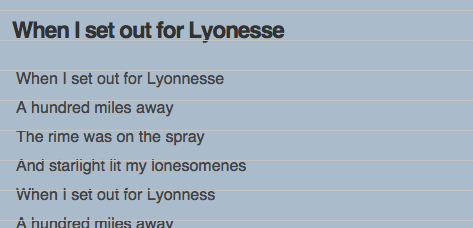
Wider spacing between the grid lines.
Change Grid Color
The default grid color is grey. This can be changed too.
baseliner = new Baseliner({ gridColor: 'red' });
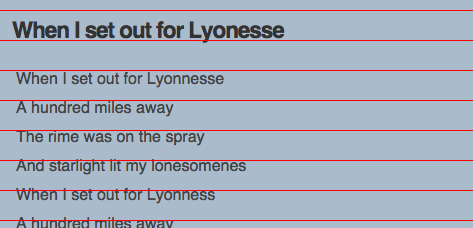
Using "red" lines in the grid.
Change Grid Color
There are four supported color names: red, green, blue, black. Further customization is available by using an array to represent an rgb value:
baseliner = new Baseliner({ gridColor: [60,60,255] });
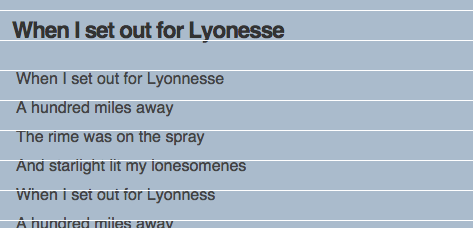
Using an rgb color line in the grid.
Change Grid Opacity
If you’d like the grid to blend into the page you can customize the opacity of the overlay by specifying a percentage value:
baseliner = new Baseliner({ gridOpacity: 30 });
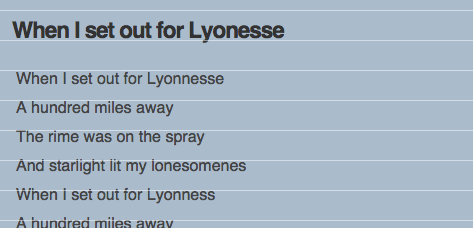
gridOpacity specifies the opacity of the lines.
Change Grid Spacing (dotted lines)
Another way to make the grid blend into a design, is to specify the spacing. This will create dotted lines instead of solid ones.
baseliner = new Baseliner({ gridSpace: 5 });
The maximum spacing is 10 px.
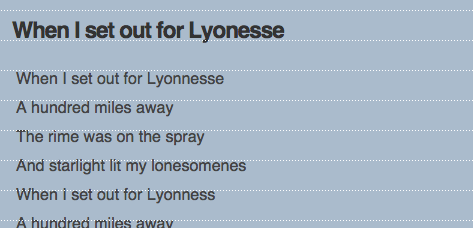
gridSpace makes a dotted line.
Change Grid Offset
If you want your grid offset from the top of the viewport you can use the gridOffset to specify by how many px:
baseliner = new Baseliner({ gridOffset: 140});
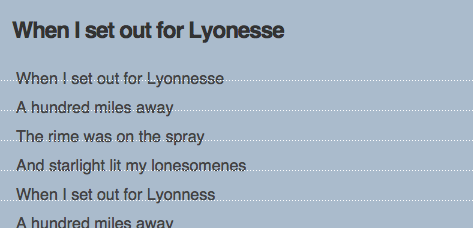
gridOffset allows your grid to clear your header.
Latest Release – 1.0
Other Resources
Bookmarklet Updates
2014-08-02
- make input types ‘number’
2014-01-08
- Renamed parameter from
eventtoevtin the keychange listener. - Allow a 0 gridOffset.
2013-11-17
- Changed location of baseliner source.
2011-11-08
- Loads the minimized baseliner JavaScript
- Prevent multiple overlays when using IE
2011-11-07
- The location of the baseliner script changed to
files.keyes.ie. - The default grid height can now be modified by changing the
_grid_heightvariable.
Acknowledgements
Document width and window height are found using code from jQuery. These dimensions are used to ensure the background scales as the window size or zoom levels change.
Versions previous to 0.9.8 used Robert Eisele’s PNGlib, to create the transparent tiling background that created the baseline grid.